Self Growth Videos Library
Technology Careers
Browse curated self-growth videos, teachers, books, lessons, and resources in this part of the library.
Library routes
Move through the site by purpose.
These are the main shelves of the growing library. They give people fast choices before the full index begins.
Full index
Browse everything in this section.
 Resource
How to Use Gemini in Gmail (Full Tutorial)
Kevin Stratvert walks through Google's newly announced AI update for Gmail, sorting features by free versus paid and noting the …
Explore this page Resource
How to Upload a YouTube Video (Step-by-Step Tutorial for Beginners)
This step-by-step tutorial covers uploading a video to YouTube on desktop and mobile, with tips to help it get found. On desktop, …
Explore this page Resource
02 - CapCut Overview
Lesson 02 of a CapCut course is a gentle first tour of the CapCut desktop interface, aimed at beginners who feel intimidated by the …
Explore this page Resource
03 - Essential Settings
This lesson covers essential CapCut settings before editing deeply. In Settings under the Project tab, you can see and change where …
Explore this page Resource
04 - Interface
Lesson 04 tours the CapCut interface for beginners making a YouTube video. The homepage is where you start new projects, find …
Explore this page Resource
05 - Basic Controls and Getting Started
Lesson '05 - Basic Controls and Getting Started' in a CapCut course, using an ice cream video project. The instructor imports course …
Explore this page Resource
06 - Editing Clips in the Timeline
This CapCut lesson (lesson 06) covers the essentials of editing clips in the timeline to start building a story. Previewing a clip …
Explore this page Resource
07 - Sample Story
This lesson builds a short sample story, 'Getting Sweet with Sam,' about making banana split sundaes and ice cream cookie …
Explore this page Resource
08 - Syncing Audio
This lesson explains how to sync separately recorded audio, such as from a clip-on lav microphone feeding a separate recorder, to …
Explore this page Resource
09 - Rough Layout
This lesson builds a rough cut — described as the basic layout of a story that is not pretty or polished but contains the essential …
Explore this page Resource
10 - Cutting Out Fluff
This is a hands-on first-pass editing session cutting the fluff from a multi-track timeline whose clips and audio are already …
Explore this page Resource
11 - J and L Cuts
This CapCut course lesson teaches J and L cuts while refining a rough cut of 'Getting Sweet with Sam,' a banana split sundae and ice …
Explore this page Resource
12 - Removing Time
This is a hands-on editing session in which the editor tightens footage of a presenter making a banana split, demonstrating how to …
Explore this page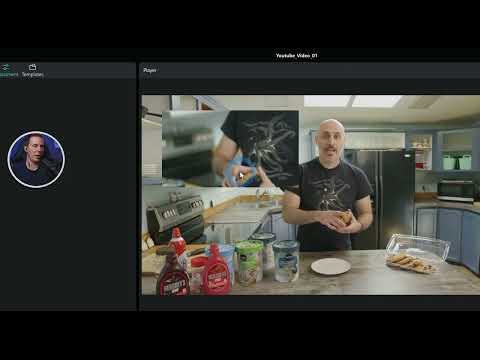 Resource
13 - Finishing Rough Pass
This is a hands-on second/rough pass edit of an ice cream video, narrated while cutting in real time. Working through the banana …
Explore this page Resource
14 - Assembling The Whole Video
In this assembly pass, the instructor takes already-trimmed clips for an ice cream video, 'Getting Sweet with Sam' featuring banana …
Explore this page Resource
15 - Adding Music
This CapCut lesson covers adding music to the ice cream video. The instructor warns that the music built into CapCut's audio tab is, …
Explore this page Resource
16 - Adding Voice Over
This CapCut lesson fills an awkward gap in an ice cream video with voice over. The instructor explains two routes: record your own …
Explore this page Resource
17 - Better B Roll
This CapCut lesson shows how to fix a dull stretch of video — the second half of a voiceover where the presenter is simply holding a …
Explore this page Resource
18 - Adding Transitions
This refining pass adds B-roll, punch-ins, animations, and transitions to the opening of the 'Getting Sweet with Sam' ice cream …
Explore this page Resource
19 - Stickers
This CapCut lesson adds stickers to an ice cream video, concentrating the playful elements in the opening and calming down after …
Explore this page Resource
20 - Sparkles Zooms and Crops
This CapCut lesson adds sparkles, zooms, crops, effects, and animation to an ice cream video that is already mostly edited. The …
Explore this page Resource
21 - Motion Graphic
This lesson builds a title graphic for 'Getting Sweet with Sam' entirely inside CapCut, though the instructor notes titles can also …
Explore this page Resource
22 - Auto Cutout
This CapCut lesson demonstrates the Auto Cutout background removal tool to place text behind a speaker. Using a moment where Sam …
Explore this page Resource
23a - Color Correction
This CapCut lesson color-corrects an ice cream video, starting from a basic adjustment layer already placed over everything to …
Explore this page